

Check off your tasks and send your shift to Kevin›
Start here
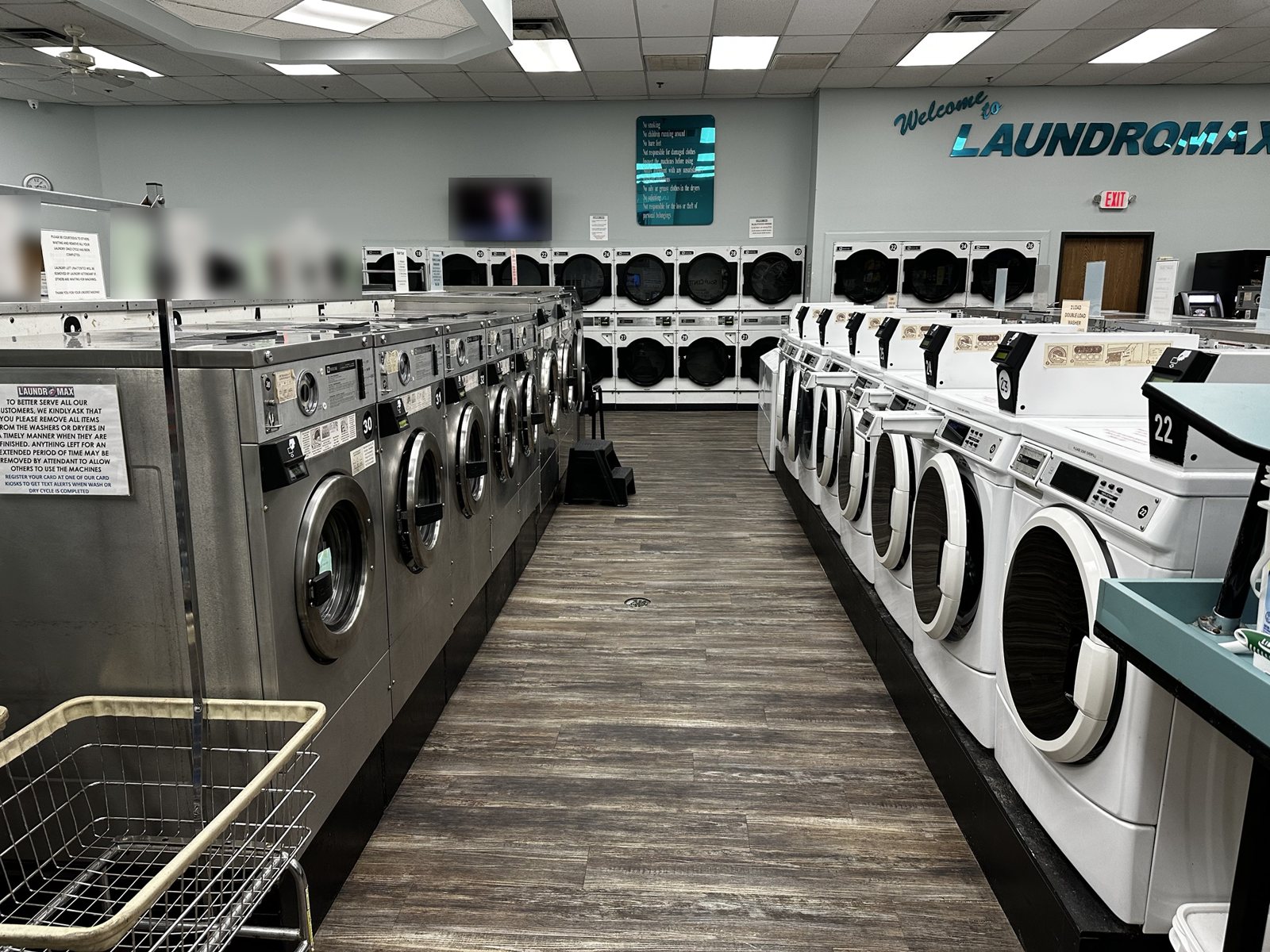
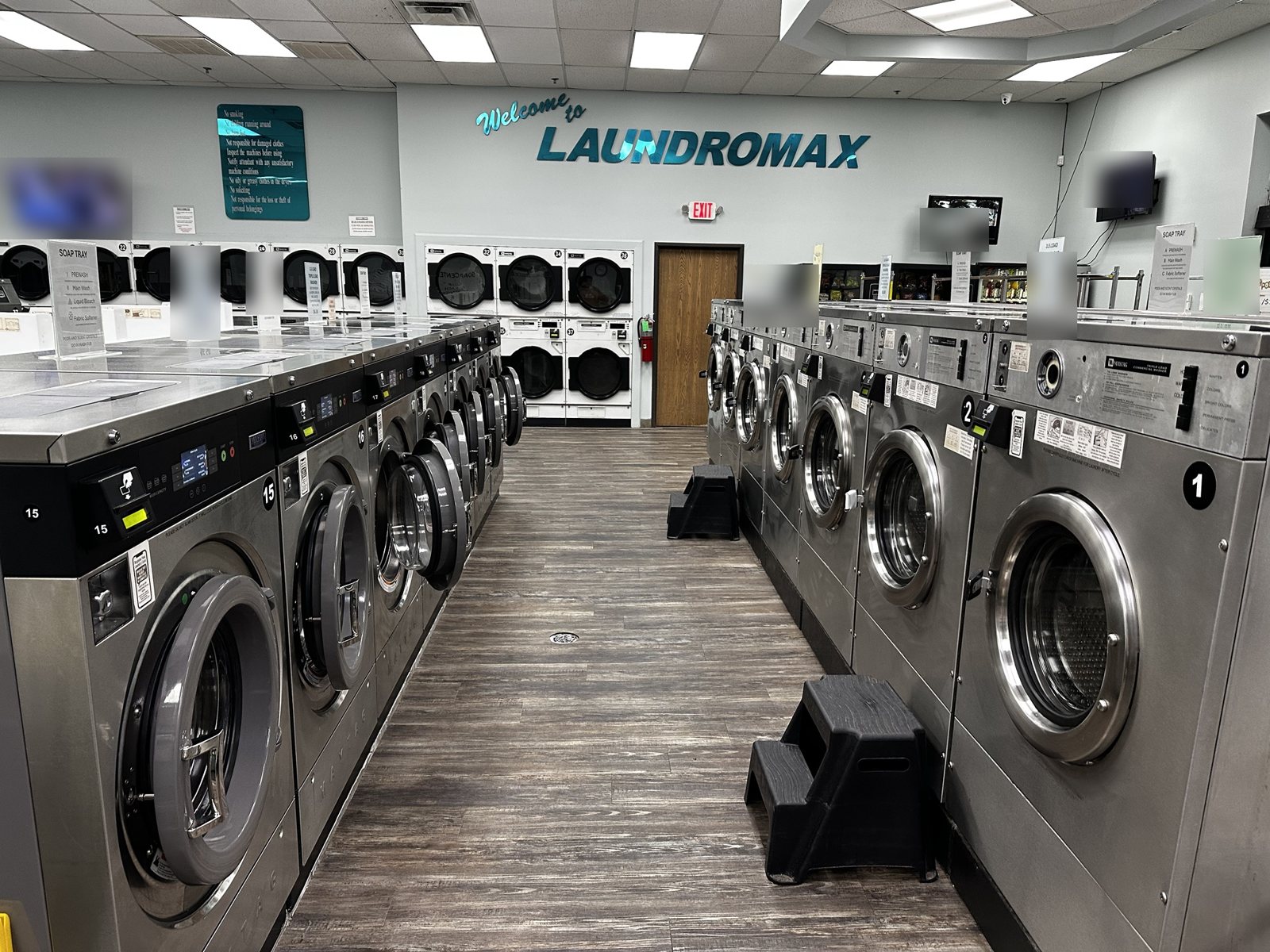
This is the Laundromax staff manual: how we open and close, keep the store clean, run wash & fold and dry cleaning, service the machines, stay safe, and handle problems. If it's not in here and you're not sure, call Kevin.
How to use this manual
- Use the search box at the top (try "leak", "refund", "tag", "lint").
- Yellow tags like Kevin: add this are spots still being filled in.
- Dashed boxes are spots for photos and videos of how things should look.
Last updated: November 2026
Code of conduct
These are the standards every Laundromax employee is held to. Read them, follow them, and expect to be held to them.
1. Respect every customer
- Most of our customers come every week. They are the reason we have jobs. Treat every one of them with respect, patience and a smile, no matter how they treat you.
- No arguing, eye-rolling, gossiping or talking about customers, in the store or on social media.
- Same service for everyone, whatever their language, age or how much they spend.
2. Respect each other
- No yelling, insults or harassment of any kind. Help your coworkers; never leave a mess for the next shift.
3. The store and the laundry must be spotless
- Customer laundry comes back clean, fresh, neatly folded, and complete. If you wouldn't be proud to hand it over, redo it.
- The store should look like it just opened, all day long: floors, machines, tables, restrooms.
4. If there's work to do, do it
- No sitting around while there are things to be done. Between customers there is always something: lint screens, wiping machines, folding, restocking, floors, the ready shelf.
- Phones away while customers are in the store or orders are waiting. Personal calls and texts on breaks.
- Breaks are taken when the store is covered and orders are on track.
5. Be on time and reliable
- Arrive on time, ready to work. If you'll be late or can't come in, call Kevin as early as possible. Don't just text a coworker.
- Finish your checklist before you leave. Your shift isn't over until the store is ready for the next person.
6. Honesty
- Every sale and every order goes through the POS. No cash off the books, no free washes for friends, no using the management card for personal use.
- Made a mistake? Tell Kevin right away. Mistakes can be fixed; hiding them can't.
7. Look professional
- Clean, neat clothes. Kevin: uniform / shirt / name tag
Accountability
- Not following these standards will be addressed: first a talk, then a written warning, then removal from the schedule or termination. Serious issues (theft, harassment, violence, being rude to a customer) can mean immediate termination.
- Doing great work gets noticed too. Kevin: any rewards, raises or recognition
Contacts & phone numbers
| Who | Number | When to call |
|---|---|---|
| Kevin (owner) | (248) 421-4929 | Anything you're unsure about, any emergency, any machine down |
| Store line | (248) 888-7303 | Rings the front counter |
| Customer line / texts | (734) 402-8191 | The number on the website and ads |
| Wash-Dry-Fold POS support | (855) 424-4258 | POS, scale or tag printer problems |
| Cents support (card system) | Text (888) 302-8809 | Laundry card accounts, card system software |
| LaundroWorks support (cards) | 1-888-629-8620 ext 2 · support@laundroworks.com | Kiosk (Value Add Center), card readers, laundry cards |
| Machine service tech | Kevin: add | Repairs beyond basic troubleshooting |
| Plumber | Kevin: add | Drain backup, leaks |
| Electric / gas utility | Kevin: add #s and account #s | Outage, no dryer heat store-wide, gas smell (after 911) |
| Police (non-emergency) | Kevin: add | Theft after the fact, loitering |
| Dry cleaning plant | Kevin: add | Pickup/return schedule, garment questions |
Serving customers
The basics
- Greet everyone within a few seconds of walking in: "Hi, welcome to Laundromax!"
- Answer the phone: "Laundromax, this is ___, how can I help?"
- New customer? Offer a quick tour: free laundry card at the kiosk, machine sizes, soap at the counter, how dryers add time.
- Walk them to the machine instead of pointing when you can.
- Stay off your phone when customers are in the store.
Things to always mention
- Register your laundry card with your phone number, so you get a text when your cycle is done.
- Big Bill Bonus: a $20 bill gets $22; a $50 or $100 bill gets 10% extra.
- Wash & fold is $2/lb ($20 minimum), ready in 24–48 hours.
- Free pickup & delivery, 20% off the first order; book at mylaundromax.com.
- Comforters and rugs go in the 3.5-load and bigger washers.
Saying no nicely
- "I'm sorry, we can't do that, but here's what I can do…" Always offer something.
- Don't guess on prices, refunds or damage. "Let me check with the owner and call you back today."
⭐ Daily scorecard
Pick your shift and check off the basics as you go. With extra time, deep-clean the soap trays and machine fronts for bonus points. Every task earns points. Approved Gold shifts add up to a paid day off. Before you clock out, tap Send scorecard to Kevin.
- Shift score = points earned ÷ points possible. 🥉 Bronze 80% · 🥈 Silver 90% · 🥇 Gold 97%+
- At the end of your shift, record one quick walkthrough video of the store and send it with your scorecard. Photos are optional.
- Kevin takes a look. A Gold shift where the store looks good counts toward your day off.
- 12 approved shifts in a row = 1 paid day off (about 3 weeks on the schedule). Kevin keeps the official count.
- Forget to send one, or have an off day? Your streak just starts fresh. Days you're not scheduled never count against you.
- Only check off what you actually did. That keeps it fair for everyone.
- Great reviews, customer compliments, or going above and beyond can count too.
One slow walk around the store, about 30 seconds: tables, machines, floor, carts, chairs, bathroom. Add photos only if you want to show something.
🚩 Report an incident
Use this for anything Kevin needs to know about with proof: a damaged or lost item, a customer complaint, an injury, a broken machine, a leak, theft or vandalism. Report it right away, while it's fresh. Take photos before anything gets moved or cleaned. For an emergency, call 911 first, then Kevin.
Show the damage close up, then the whole item, then the tag or ticket. Up to 6.
Never promise a customer money or a refund. Say: "I've reported it, and the owner will contact you." Kevin decides.
Opening checklist
We open at 8:00 AM every day (holidays 8 AM–6 PM; closed Christmas Day). Arrive Kevin: how early?
- Disarm the alarm, lights on, check doors and windows for damage.
- Walk the store: water on the floor, anything left overnight, anything broken.
- Turn on the LaundroWorks kiosk; confirm it takes cash and cards.
- Spot-check washers and dryers: readers lit, no error codes.
- Out-of-order signs on anything not working; text Kevin the machine number.
- Open Wash-Dry-Fold POS, clock in, begin the shift checklist, turn on the scale and tag/receipt printer, print a test tag.
- Check the POS: what's due today, what's ready for pickup.
- Restrooms stocked and clean. Tables wiped, carts lined up, trash empty.
- Soap and supplies stocked at the counter.
- Unlock at 8:00 sharp.
Hourly rounds
At least once an hour (more on weekends):
- Clean lint screens on empty dryers.
- Wipe soap spills from washer tops and trays.
- Return carts, wipe folding tables, pick up hangers and trash.
- Check the floor for water, especially by washers and drains.
- Check restrooms.
- Look for finished loads left in machines (see Left laundry).
- Ask customers if anyone needs help.
Closing checklist
Last wash 8:30 PM (holidays 4:30 PM). Doors close 10:00 PM (holidays 6:00 PM).
- 8:15 PM: announce "last wash is 8:30."
- 9:30 PM: announce "we close at 10, please finish drying."
- Clean every dryer lint screen.
- When possible, clean the fan blades with the long-reach brush. They collect a lot of lint.
- Wipe every washer (door glass, gasket, soap tray, top); leave doors open.
- Tables, carts, chairs and counter wiped. Sweep and mop. Empty all trash.
- Restrooms cleaned and restocked.
- Every machine empty; bag and label anything left behind.
- All wash & fold orders bagged, tagged, and either on the ready shelf or marked in-progress in the POS.
- Close out the POS: Kevin: end-of-day report steps
- Kiosk: Kevin: cash pull / end-of-day steps
- Text Kevin any machine problems from today.
- Lights off, set alarm, lock up, check the door.
Cleaning schedule
| How often | Task |
|---|---|
| Hourly | Lint screens, washer tops and soap trays, folding tables, carts, floor spot-check |
| Every shift | Restrooms, trash, mop, washer door glass, front door glass |
| Daily (closing) | Wipe inside every washer door gasket and leave doors open; fan blades with the long-reach brush when possible; full mop |
| Weekly | Washer cleaning cycles; soak soap tray inserts; dust machine tops and lights; inside windows; sanitize carts |
| Monthly | Vacuum lint from dryer lint compartments and behind dryers Kevin: who; clean floor drains; walls and baseboards; check fire extinguisher gauges |
Cleaning washers
Daily
- Spray and wipe the top, front panel and card reader with all-purpose cleaner Kevin: which product.
- Open the door. Wipe the glass inside and out.
- Pull back the rubber door gasket and wipe inside the fold. Remove hair, socks, coins and soap gunk.
- Wipe the soap tray and the area around it. Rinse out soap buildup.
- Leave the door open overnight so it dries and doesn't smell.
Weekly
- Remove soap tray inserts where they come out, soak in hot water, scrub, reinstall.
- Run an empty hot cycle with washer cleaner Kevin: product, which machines, which day.
Cleaning dryers
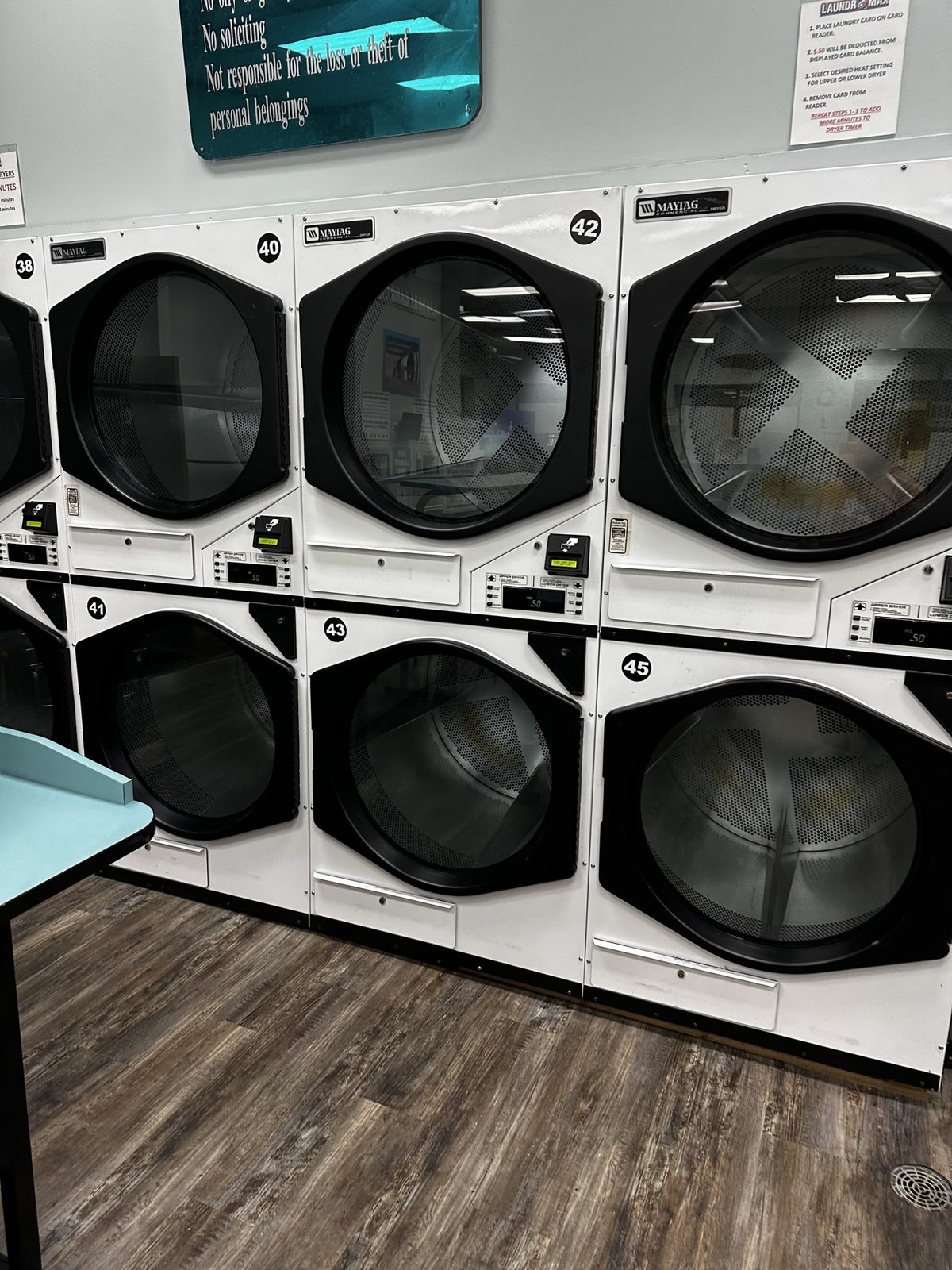
- Lint screens: open the lint door, pull the screen, brush or peel off all lint into the trash, put it back, close the door. Every round and at close.
- Wipe door glass and the drum opening.
- Check drums for crayons, pens, gum or lipstick. Clean with Kevin: product before anyone uses it.
- Monthly: vacuum the lint compartment below the screen Kevin: who / how.
Tables, counters & carts
- Folding tables: wipe with sanitizer every round and right before you fold any wash & fold order.
- Never fold customer orders on a table that hasn't just been wiped.
- Counter and POS area: wipe the counter, scale platform and card reader every shift. Keep it clear of clutter.
- Carts: wipe handles and baskets daily; sanitize weekly. Return every cart to the cart area.
Floors, fans, restrooms & windows
- Fan blades: at the end of the night when possible, brush lint off the fan blades with the long-reach brush Kevin: where the brush is kept. Lint on fans blows back onto clean laundry and is a fire risk.
- Floors: sweep, then mop. Always put out the wet-floor sign. Pay extra attention in front of washers and under folding tables.
- Restrooms: toilet, sink, mirror, floor, trash; restock paper and soap. Check every round.
- Windows and doors: front door glass every shift; all inside windows weekly.
- Trash: empty when 3/4 full; never let it overflow.
POS tutorial: Wash-Dry-Fold POS
All wash & fold, dry cleaning and pickup orders run through Wash-Dry-Fold POS (WDF) on the counter computer. Support: (855) 424-4258 · support center. Button names below come from WDF's own training videos; if a button on our screen is worded a little differently, go by what you see.
1. Start of shift: clock in & checklist
- Clock in on the POS before your first sale.
- Open the shift checklist: click the blue Checklist button on the dashboard (or Menu, top-left → Checklists).
- Enter your PIN. It records who crossed off each task.
- Click Begin checklist to start your shift.
- Tap each task as you finish it. Your name and the time are added automatically.
- Couldn't finish something? Scroll to the comments at the bottom and say why, or leave a note for the next shift.
2. Taking in a wash & fold order
- Click New sale.
- Find the customer by phone number, first or last name, or company. New customer: create their profile (name and cell phone at minimum).
- Read what pops up: their notes (detergent, allergies, hang items), account balance or store credit, and any notes from Kevin.
- Click Continue with selected customer.
- Put the laundry on the scale and press the Wash-Dry-Fold button. It reads the weight from the scale automatically.
- Add instructions:
- For one bag or item: type it on that line, e.g. "spot treat the white shirt."
- Common requests: tap the one-tap instruction buttons, e.g. "dry temperature low."
- Selling soap or other retail? Scan the barcode and it's added to the same ticket.
- Press Next, then set the due date and pickup time (24–48 hours).
- Payment: if they pay now, enter the amount or tap a cash shortcut (like $50), then print the receipt and give change. Pay-at-pickup orders get paid when they're picked up.
- Print and attach bag tags (see Tags).
3. Working the order: the Order Tracker
Every order moves across the board: Sort → Wash → Dry → Fold → Done. Drag the order to the next column as you go. This tracks every machine used, so do it every time.
- Sort: drag the order to Sort. Tap it to read the notes. Add a comment if something comes up, e.g. "Found $50 in a pocket."
- Wash: drag to Wash, select the washer numbers you're using, press Confirm. The amount shown should match what was charged to the store's card.
- Dry: drag to Dry. It lists the washers you used; tap each one to cross it off as you empty it. Select the dryers, press Confirm.
- Fold: drag to Fold.
- Done: drag to Done. If it asks, confirm all machines have been emptied. Check them first, especially after comforters.
- If the customer gets texts, choose Send text message so they know it's ready.
- Labels: enter the number of bags and hanging items, press Print label, and label every bag and hanger.
4. Customer pickup
- Click the red Pickup button.
- Pick their order from the list of finished orders.
- Click Confirm pickup. This time-stamps the hand-off. If they haven't paid, it opens the payment screen. Take payment before anything leaves the counter.
- Count the bags and hanging items with the customer and hand them over.
5. Machine broken? Submit a repair ticket
- Menu (sidebar) → Repairs, enter your PIN.
- Select the machine and describe what's wrong in detail (at least 20 characters): error code, what it's doing, when it started.
- Press Preview and submit, then Submit. Kevin gets an email. Also sign the machine out of order.
6. Business accounts (on account)
Some business customers don't pay at the counter; their orders go on account and Kevin bills them monthly. Ring the order up normally and choose the on-account option at payment. If asked, get a signature at drop-off. ▶ Commercial accounts video
7. Pickup & delivery
Pickups and deliveries are on the Pickup & Delivery Calendar. The driver works from the driver manifest with map, text and call buttons. ▶ Pickup & delivery video
Our screens
Weighing laundry
- Make sure the scale reads 0.00 with nothing on it. If not, press Zero / Tare.
- If the customer's bag or basket stays with us, weigh it with the laundry. If they're taking the basket back, tare the empty basket first, or weigh it after and subtract it.
- Put the laundry on the scale and let the number settle.
- Enter or capture the weight in the POS. Round as the POS does; don't change weights by hand.
- Tell the customer the weight and the estimated price. $20 minimum applies under 10 lb.
- Comforters are priced per piece ($25 each or 2 for $40), not by weight. Down or heavy-fill cost a little more.
Writing tickets
Every order gets a ticket, whether the POS prints it or it's written by hand when the system is down.
Every ticket must have
- Customer name and cell phone
- Date in and date due (24–48 hours)
- Weight and price, or item count for comforters and dry cleaning
- Number of bags
- Special instructions: own detergent, fragrance-free, allergies, low heat, hang items, separate whites
- Pre-existing damage noted with the customer: stains, tears, missing buttons
- Your initials
If the POS is down
- Use the paper backup tickets Kevin: where they're kept.
- Write clearly in pen. Keep one copy on the order and give one copy to the customer.
- Enter it into the POS as soon as it's back.
Sorting guide
| Pile | What goes in it | Wash | Dry |
|---|---|---|---|
| Whites | White t-shirts, socks, underwear, white towels and sheets | Hot (warm if the tag says) | Medium–high |
| Lights / pastels | Light grey, beige, pastel colors | Warm | Medium |
| Darks | Black, navy, dark grey, jeans | Cold, inside out | Medium–low |
| Brights & reds | Red, orange, bright colors that might bleed | Cold | Medium–low |
| Towels | Bath towels, washcloths (keep away from lint-catchers like fleece and dark knits) | Warm/hot | High |
| Delicates | Bras, lingerie, lace, silky items, anything marked "delicate" | Cold, gentle, mesh bag | Low or hang dry |
| Activewear | Leggings, sports jerseys, stretch fabrics | Cold | Low or hang dry; no dryer sheets |
| Heavy-soil / work | Very dirty, greasy or smelly items | Separate load, warm/hot | Medium |
Before anything goes in a washer
- Empty every pocket. Bag anything found and note it on the order.
- Zip zippers, fasten hooks and Velcro so they don't snag.
- Unbutton shirt buttons; turn jeans, darks and printed shirts inside out.
- Bras and delicates in a mesh bag.
- Check tags for "hand wash", "dry clean only", "no heat". When in doubt, cold wash and hang dry, and note it.
- Stains: note them on the order; spot-treat if the customer asked.
- New red or dark items washed alone the first time.
- Small order? Still keep whites and darks apart. Never mix orders.
Washing & drying orders
- Every order is washed by itself. Never mix customers.
- Check every pocket. Pens, lipstick, gum, crayons and tissues ruin loads. Put anything found in a small bag with the order.
- Sort: whites (hot), colors (warm), darks and brights (cold), delicates (cold, gentle).
- Use our detergent and dryer sheets unless the ticket says otherwise. Fragrance-free if requested.
- Don't overload. Comforters go in 3.5-load and bigger washers.
- Dry on medium by default. Low or hang-dry for delicates, activewear, and anything flagged.
- Pull loads as soon as the dryer stops to cut wrinkles.
- Update the order status in the POS as you go.
Folding guide
Wipe the table first. Clean, dry hands. Fold everything the same way so stacks are even and orders look professional. Fold while items are warm to cut wrinkles.
| Item | How to fold |
|---|---|
| T-shirts | Face down. Fold each side (with sleeve) in toward the middle so the shirt is about the width of a magazine. Fold the bottom up in half (or thirds for long shirts). Flip face up. |
| Long-sleeve shirts & hoodies | Face down. Fold sides in, then lay sleeves straight down the back. Fold bottom up in thirds. Hoodies: tuck the hood in last. |
| Button-ups | Hang if the ticket says or if unsure. If folding: button top and middle buttons, fold like a long-sleeve shirt. |
| Pants & jeans | Fold in half lengthwise (one leg on top of the other), then in thirds or half. Same size every pair. |
| Shorts | Half lengthwise, then in half. |
| Leggings & activewear | Half lengthwise, then roll or fold in thirds. |
| Underwear | Fold sides in, then bottom up to make a small square. Own stack. |
| Bras | Don't fold cups inside out. Stack one inside the other, flat. |
| Socks | Match pairs, lay flat and fold once (don't ball them). Singles go in a small bag on top. |
| Bath towels | In thirds lengthwise, then in half and in half again (or thirds), folded edge facing out. All towels the same size. |
| Hand towels & washcloths | Same style as bath towels, smaller. Washcloths in squares. |
| Fitted sheets | Tuck one corner into the next along a short side, repeat on the other side, lay flat, fold the elastic edges in to make a rectangle, then fold to match the flat sheet. |
| Flat sheets | In half, in half again lengthwise, then into a rectangle. Put the set together: flat sheet, fitted sheet and pillowcases inside one pillowcase if possible. |
| Pillowcases | In half lengthwise, then in thirds. |
| Blankets & comforters | In half, half again, then roll or fold to fit the bag. Comforters get their own bag. |
| Kids' clothes | Same as adults, smaller. Keep kids' items in their own stack. |
Stacking & quality check
- Stacks by type: tops, bottoms, underwear and socks, towels, linens.
- Heavy items on the bottom, light items on top.
- Final check: no stains we missed, nothing damp, nothing left in the dryer or on the table. If it isn't spotless, rewash it.
Hanging
- Hang anything the ticket says to hang, plus dress shirts, blouses and dresses if unsure (ask Kevin on regulars).
- Pull items from the dryer while still warm and hang right away.
- Button the top button, straighten the collar and seams.
- Group hangers per order; cover with a garment bag and tag the hook.
- Hung orders go on the rack Kevin: rack location next to the matching bag.
Bagging & the ready shelf
- Bag folded laundry neatly, heavy items on the bottom. Don't overstuff.
- Tie or seal the bag.
- Attach the tag on the outside. Multiple bags: "1 of 2", "2 of 2".
- Put the bags on the ready shelf Kevin: by last name / order number?
- Mark the order ready in the POS so the customer gets a text.
At pickup
- Ask for the name and phone number, find the order, count bags with the customer, take payment, mark it picked up.
Dry cleaning: taking in & tagging
Shirt laundry $3, polo shirts $4, dry cleaning from $8. Drop off by Monday, back Saturday (may vary on holidays).
Taking in garments
- Count every piece with the customer.
- Check each garment: stains (ask what it is), tears, missing or loose buttons, pocket contents, belts.
- Empty all pockets. Remove anything valuable and hand it back.
- Note any damage or special requests (starch, no crease, etc.) on the order.
Tagging
- Enter each garment in the POS (shirt, pants, dress, suit 2-piece, etc.).
- Print a tag for each piece.
- Attach tags in the same spot every time: Kevin: tag spot, e.g. inside label / collar / waistband with safety pin / tag gun / staple.
- Suits and sets: tag every piece and note "set" so they come back together.
- Put the tagged garments in the dry cleaning bag/bin for the plant with the order invoice.
When it comes back
- Check the count against the invoice. Check for missing tags or damage before the customer does.
- Hang on the pickup rack by order, mark ready in the POS.
Pickup & delivery
Free pickup and delivery on our local route. $30 minimum. First order 20% off. Customers check their area and book on mylaundromax.com.
- Don't promise route days over the phone. Send them to the website to book.
- Route days and times: Kevin: add
- At pickup: confirm name, count bags, note anything special, tag each bag.
- At delivery: hand to the customer or leave where they asked. Take a photo if left at the door.
Business accounts
We do laundry for salons, gyms, restaurants, medical offices, Airbnb hosts and sports teams, with custom quotes.
- New business asking for a quote: take the business name, contact name, phone, and about how much laundry per week. Pass it to Kevin. Don't quote prices yourself.
- Current accounts and schedules: Kevin: add list
Laundry cards & kiosk (Cents / LaundroWorks)
Our card system is Cents / LaundroWorks: the kiosk is called the Value Add Center (VAC), and every machine has a tap card reader. Support: 1-888-629-8620 ext 2, support@laundroworks.com. Full links in POS, card system & machine links.
- Cards are free at the kiosk by the front counter. Load with cash, credit, debit, Apple Pay or Google Pay.
- Big Bill Bonus (cash bills only): $20 bill = $22; $50 or $100 bill = 10% bonus.
- Customers can check their balance at my.laundroworks.com.
- Push card registration: they get a text when their cycle is done.
- Free lanyards at the counter.
Common card problems
- Card won't read: wipe it, try another machine. Still failing: Kevin: replacement / balance transfer steps
- Lost card: if registered, the balance can be moved. Kevin: steps
- Kiosk won't take bills or cards: check the screen, restart Kevin: steps, put up a sign, call support.
- Credit or refund to a card: done in LaundroPortal; after the request, the card must be placed on the Value Add Center to apply it. Kevin: who can do it, limits
- Management card: starts any machine for free. Keep it locked up; never leave it at the counter or lend it out.
Answering the phone
- Answer the store phone with: "Laundromax, this is ___, how can I help?"
- Customers calling our main number who ask for the attendant ring through to the store phone.
- Take a message if you can't help: name, number, what they need. Pass it to Kevin.
- Never give Kevin's cell to customers.
Machines & service
Tap a machine to open it. Model and serial numbers are on the tag on the back or inside the door; please photograph each one and send it to Kevin.
Manuals
- Maytag Commercial Laundry: official site for owner and service manuals.
- Maytag MFR series washer service manual (18–80 lb models). Confirm our model numbers match before using.
- Error codes vary by model. Always check the manual for the exact model before replacing parts.
2-load washers · $5
Model #: addMachine #s: add
Small loads only. No blankets, comforters, rugs, pillows or shoes. Pull-out soap tray at the top left, about ½ capful. Whites (hot), Colors (warm), Brights (cold).
Care
- Pull out and rinse the soap tray daily. Wipe gasket. Door open at close.
Common problems
- Oversudsing from too much soap: run a rinse. add error codes
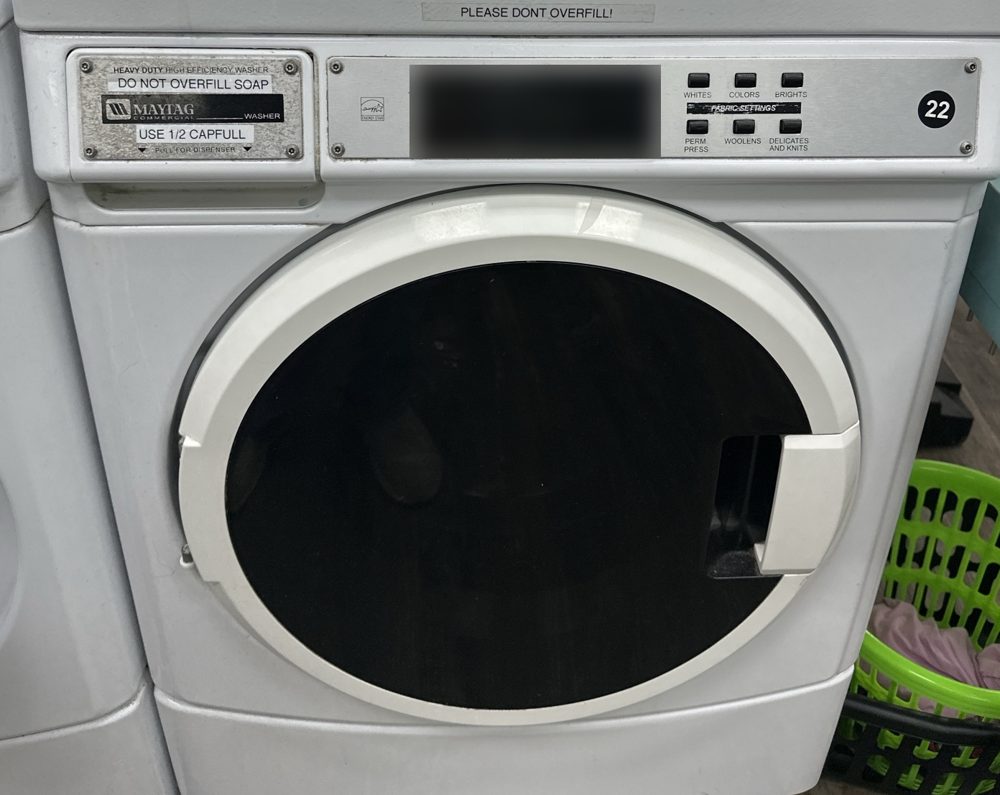
2-load washers (white) · $5
Model #: addMachine #s: add
Small loads. Soap, softener and bleach in the tray. Hot, Warm or Cold.
Common problems
- add
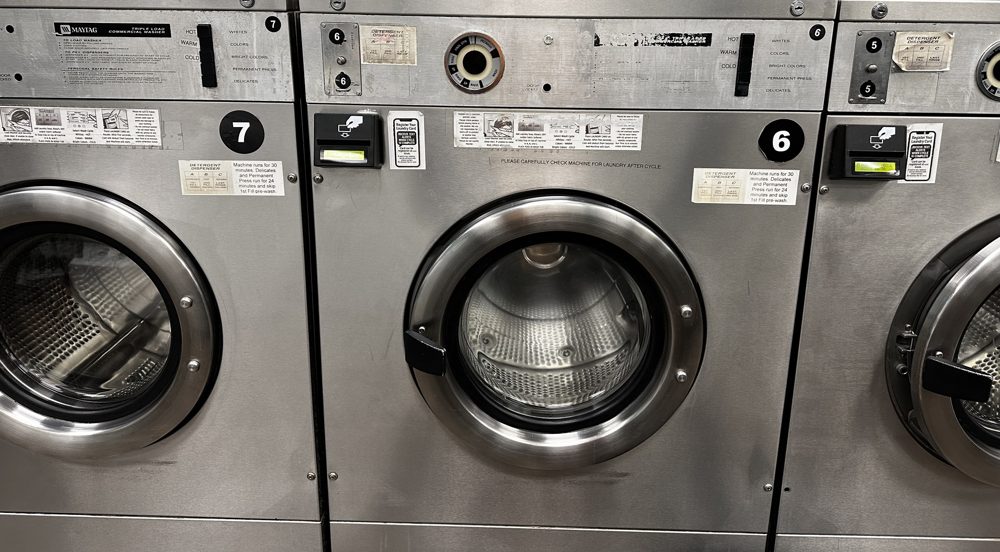
2.5-load washer · $6
Model #: addMachine #: add
Tray on top: A Prewash · B Main wash (liquid bleach here) · C Softener. Press Cycle Select for Whites / Colors / Brights.
Common problems
- add
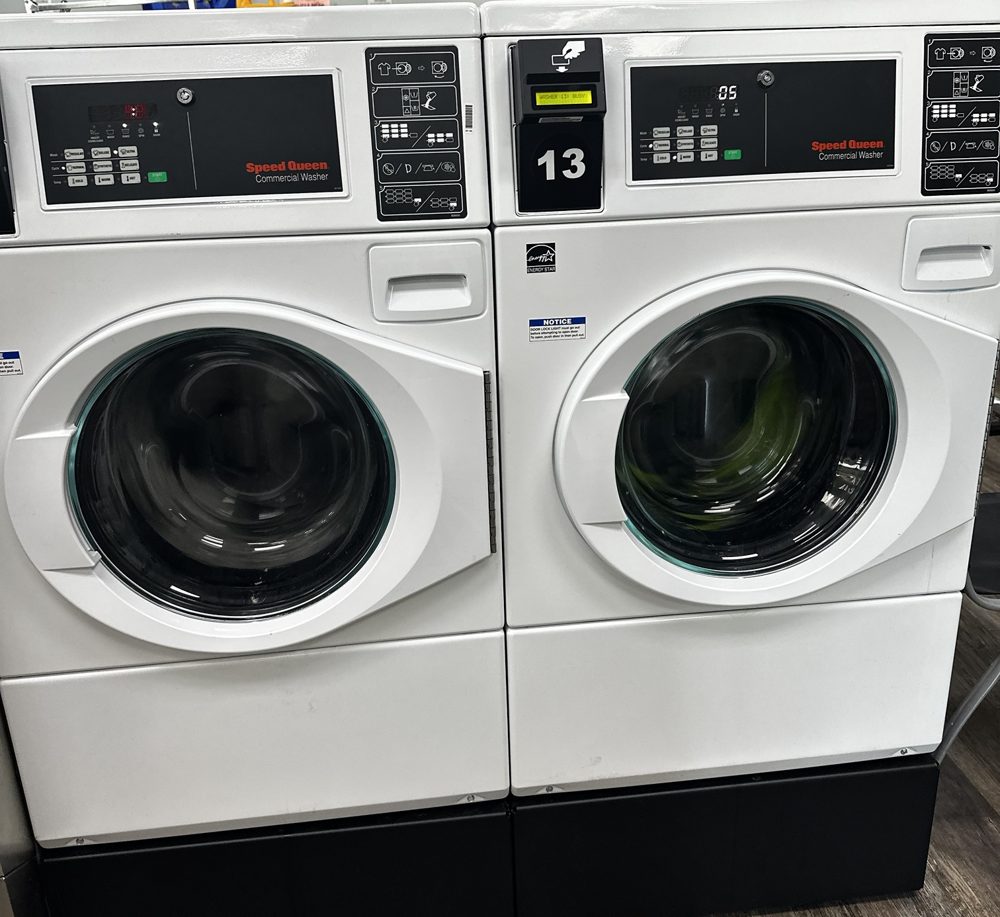
3.5-load washers, touchscreen (Maytag) · $7, super cycle +50¢
Model #: addMachine #s: add
Medium loads, comforters, rugs and pillows. Tray on top: Wash · Liquid bleach · Softener. Customers tap a cycle; language can be changed on screen.
Common problems
- Door won't unlock right after a cycle: wait 1–2 minutes.
- add error codes and reset steps
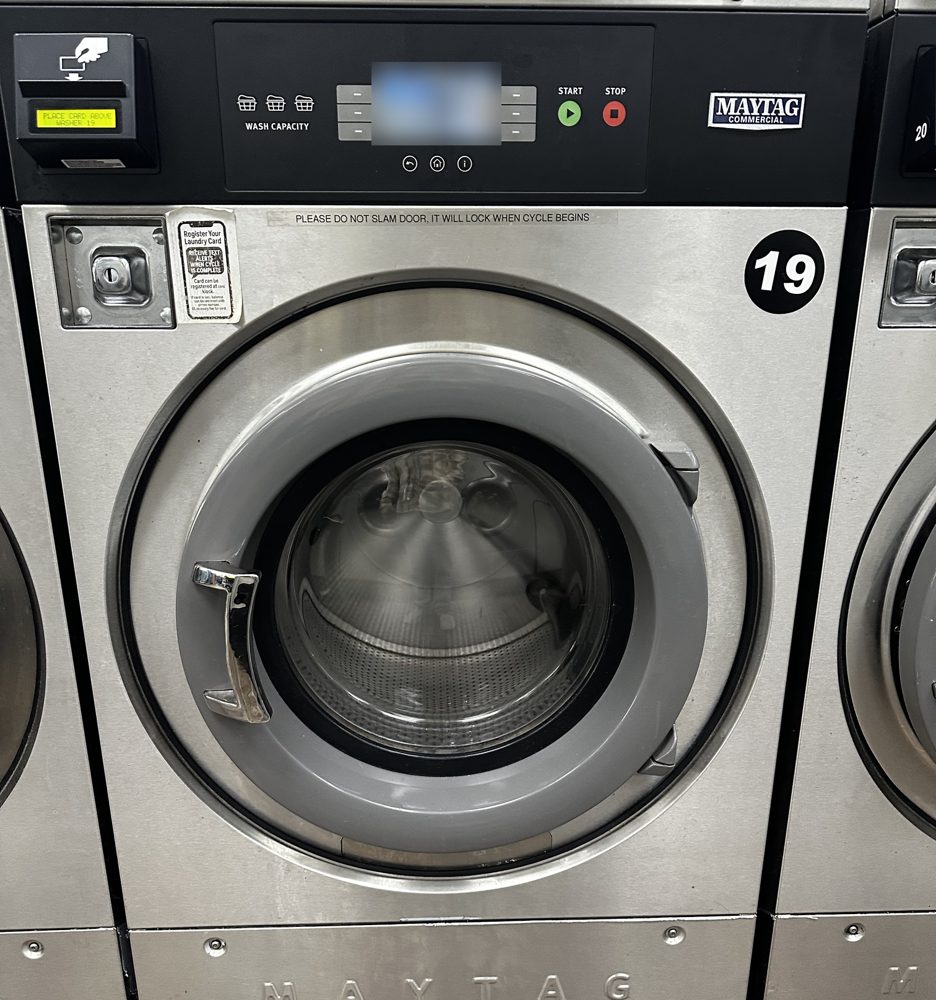
3.5-load washers, classic (Maytag) · $7
Model #: addMachine #s: add
About 30 minutes. Tray: A Prewash · B Main wash · C Softener. Hot / Warm / Cold.
Common problems
- add
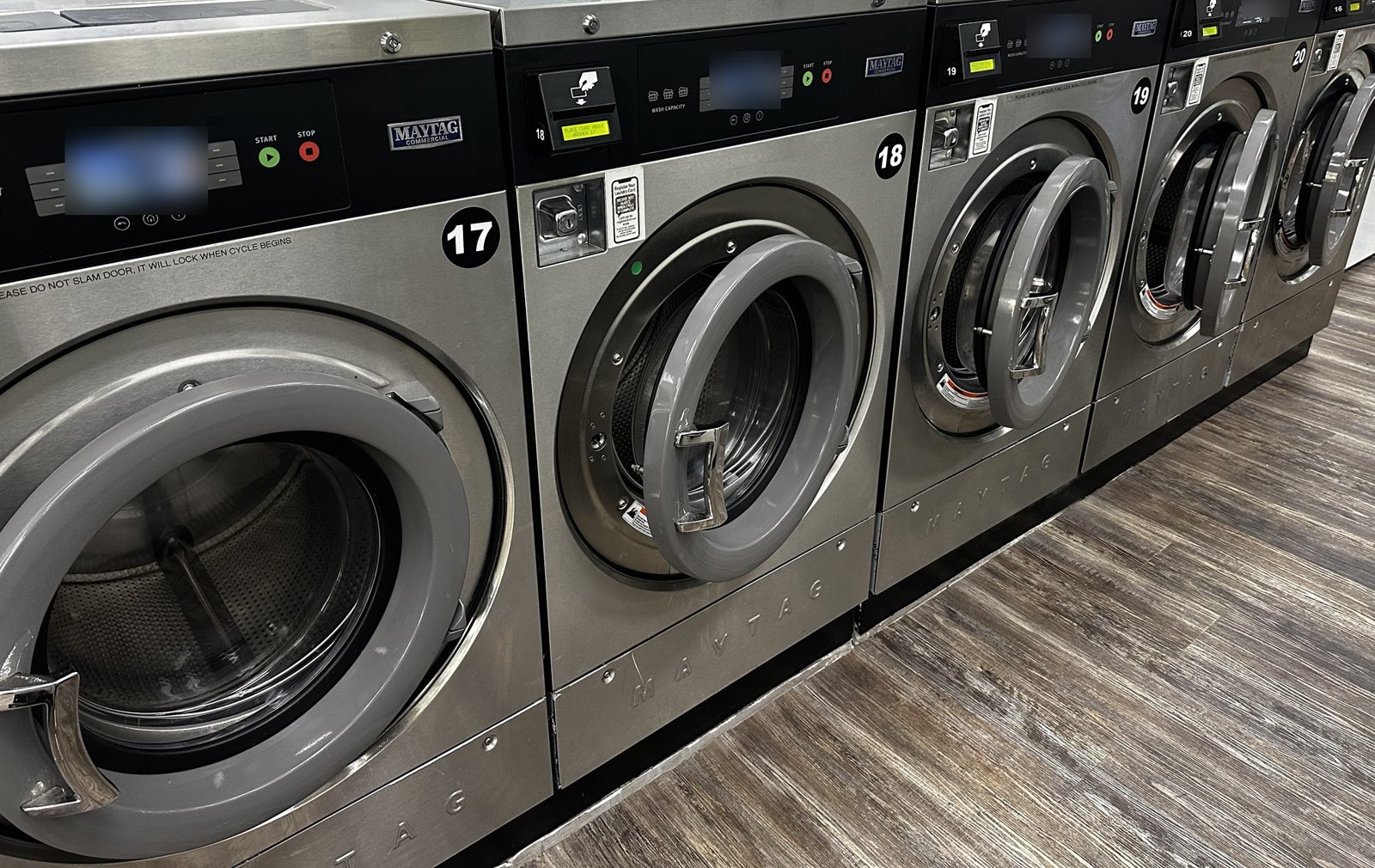
5-load washer (Maytag) · $8
Model #: addMachine #: add
Big loads, comforters, sleeping bags, pet beds.
Common problems
- Out-of-balance with one heavy item: redistribute or add towels. add
7-load washer (Maytag) · $13
Model #: addMachine #: add
Common problems
- add
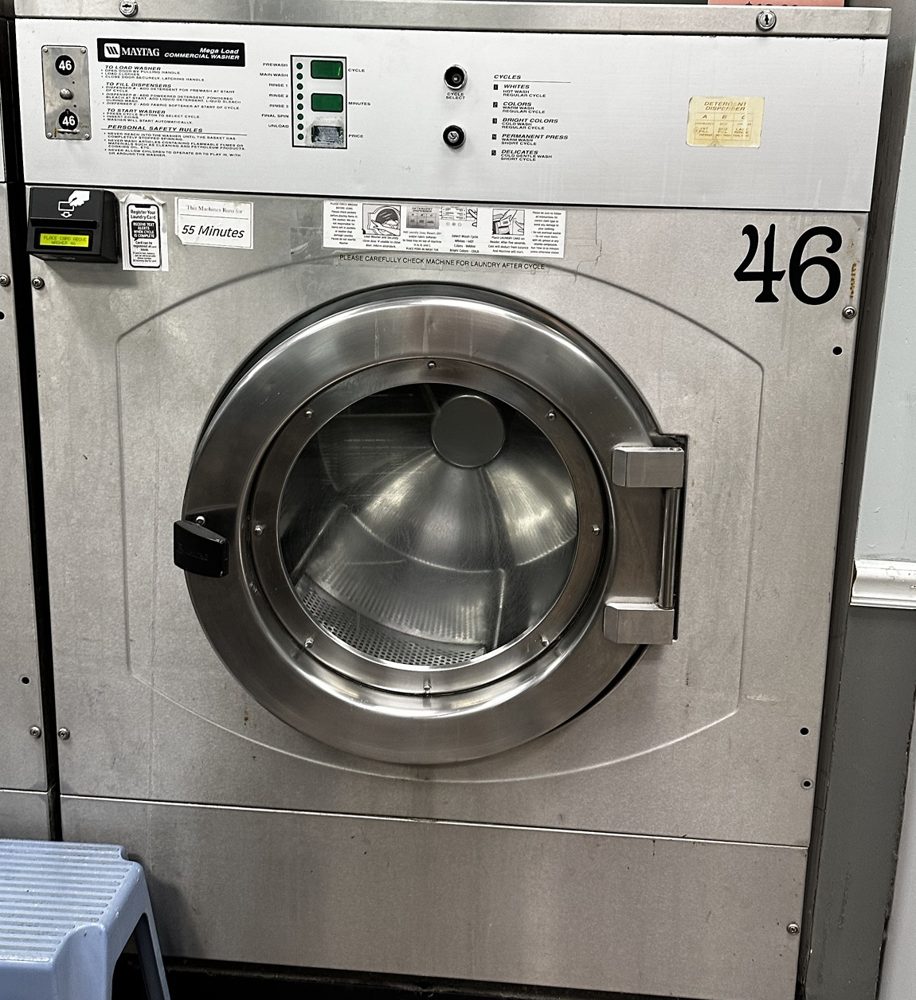
8-load washer (Maytag) · $14
Model #: addMachine #: add
Common problems
- add
Dryers, large and extra-large (Maytag stacked) · 50¢ = 10 min large / 8 min XL
Model #: addMachine #s: add
Customer taps the card, picks heat for the upper or lower dryer, removes the card. Each tap adds time.
Common problems
- No heat: clean the lint screen first. One dryer: sign it, refund, text Kevin. Several at once: see Machine problems.
- Won't start: door fully shut? Lint door shut?
- add error codes
LaundroWorks kiosk (Value Add Center) & card readers
Support: 1-888-629-8620 ext 2support@laundroworks.com
LaundroWorks support will try to fix most problems remotely, so call them before anyone opens hardware. See the support and replacement parts policy.
Restart steps
- Kevin: add
POS computer, scale & tag printer
Support: Wash-Dry-Fold POS (855) 424-4258.
- Scale won't read: check it's on and zeroed, unplug/replug the cable, restart the POS computer.
- Printer won't print: check paper/labels, power, cable; print a test tag.
- Kevin: add models
Parts reorder list
When you use the last spare of anything, text Kevin the part name. Part numbers come from the machine manuals or old invoices.
| Machine | Part | Part # | Supplier | Spares | Notes |
|---|---|---|---|---|---|
| Washers | Door gasket / boot seal | add | add | ||
| Washers | Door lock / switch | add | |||
| Washers | Drain valve | add | MFR series uses a motor-driven drain valve | ||
| Washers | Inlet valve | add | |||
| Washers | Soap tray / dispenser | add | |||
| Washers | Drive belt | add | |||
| Dryers | Lint screen | add | |||
| Dryers | Drive belt | add | |||
| Dryers | Igniter / gas valve coils | add | |||
| Dryers | Door switch | add | |||
| Card system | Card reader | add | LaundroWorks (call support first) | ||
| Store | Blank laundry cards, lanyards | ||||
| Wash & fold | Detergent, dryer sheets, bags, tag labels, receipt paper, hangers, garment bags | ||||
| Dry cleaning | Tags, pins, plant bags |
Safety procedures
Slips and falls
- Wet-floor sign out before you mop or as soon as you see water. Clean spills right away.
- Keep aisles clear of carts, baskets and boxes.
Lifting
- Wet laundry is heavy. Lift with your legs, keep it close, don't twist.
- Split big loads; use a cart. Ask for help with anything over 50 lb.
Chemicals
- Never mix bleach with ammonia or other cleaners.
- Keep chemicals in labeled containers, away from kids.
- Gloves when using strong cleaners. Safety data sheets: Kevin: binder location
Handling customer laundry
- Wear gloves for soiled, wet or smelly items.
- Check pockets carefully: needles, razors, lighters, pens. If you find a needle or sharp, don't touch it bare-handed. Use gloves and put it in a hard container; tell Kevin.
- Loads with blood, vomit or bodily fluids: gloves on, wash separately on hot, sanitize the table and cart afterward.
Dryers and heat
- Dryer doors and drums get hot. Let a dryer cool before reaching in for cleaning.
- Don't dry items soaked in oil, gasoline or cooking grease. They can catch fire. Politely refuse them.
- Lint screens clean, always.
Kids
- No climbing in or on machines, carts or folding tables.
Cash and personal safety
- Don't count cash in front of customers. Keep the counter between you and anyone acting aggressive.
- Never fight or chase anyone over money or property.
When things go wrong: leaks, power outages & machines
Took money but didn't start
- Check the display for an error; make sure the door is fully closed.
- Still won't start: sign it out of order.
- Credit the customer's card Kevin: steps, move them to another machine.
- Text Kevin the machine # and error.
Washer won't drain / door stuck with clothes inside
- Wait for the cycle to finish; some doors stay locked 1–2 minutes after.
- Try a drain/spin Kevin: how, per machine.
- Never force a door with water inside.
- Still stuck: sign it, apologize, call Kevin.
Dryer not heating
- Clean the lint screen; door and lint door shut; heat selected.
- One dryer cold: sign it, refund, text Kevin.
- Several dryers cold: likely gas supply. Call Kevin. Gas smell: see Emergencies.
Water leak
- Wet-floor signs out right away. Keep customers away from the water.
- Find the source: washer door or gasket, hose behind a machine, drain backing up, pipe, or roof.
- One washer leaking: if it's empty, don't use it; sign it out of order. If it's mid-cycle, let the customer finish in another machine and credit them.
- Drain backing up: stop using the washers on that side. Sign them.
- Pipe burst or big leak: shut off the water at the main Kevin: shut-off location.
- Water near outlets, panels or cords: stay away and call Kevin. Don't touch anything electrical in water.
- Take photos, mop up, call Kevin.
Power outage
- Make sure everyone is safe. Stay calm and tell customers: "The power is out. Don't worry, we'll refund you for any machines you lost."
- Before anyone leaves, write down for every customer who was using machines:
- Name and phone number
- Their laundry card number (printed on the card), if they have the card with them
- At least one machine number they were using (all of them if possible)
- Washer doors stay locked without power. Don't force them. Help customers get wet clothes out once power returns and the doors release.
- Call Kevin right away, then the electric utility.
- Text or give Kevin the outage list. He handles the refunds.
- Long outage: Kevin: when to close the store
| Power outage refund list · Date: ______ · Outage time: ______ | ||||
|---|---|---|---|---|
| Name | Phone | Card # | Machine #(s) | Notes |
Print a few copies of this list and keep them at the counter Kevin: where.
POS or printer down
- Restart the POS computer and printer. Call WDF support.
- Use paper tickets (see Tickets) and enter them later.
When things go wrong: customer situations
Upset customer
- Stay calm. Listen first; don't argue.
- "I'm sorry that happened. Let me see what I can do."
- Fix what you can. Anything over $X or any damage claim goes to Kevin.
- Write down what happened, the time, name and number.
Damage claim (stain, tear, shrinking, missing item)
- Don't admit fault or promise payment. Check the ticket for noted damage. Take photos and their info. Kevin will call them within X hours.
Left laundry
- 15 minutes after a cycle ends, move clothes to a cart or basket (never the floor) so others can use the machine.
- At close, bag it, label with machine # and date, put it in lost & found.
Rubber-backed rugs
- Rugs with cracking or peeling backing break apart and damage the machine. Politely tell the customer we can't wash those.
Unattended children
- Kindly remind the parent. If a child is alone and no parent can be found, call Kevin and the police.
Aggressive or unsafe person
- Don't argue or try to physically remove anyone. Keep the counter between you. Call 911 if anyone is threatened, then Kevin.
Theft
- Don't chase or confront. Note the time, description and direction. Call the police and Kevin. Kevin: camera footage steps
Emergencies
- Keep the dryer door closed. Stop the dryer if you can do it without opening the door. Keeping it shut starves the fire of air.
- Move customers away from the dryers and have someone call 911.
- Get the water hose in the back. The extension reaches anywhere in the store. Kevin: exact hose location
- With the hose ready and running, stand to the side, open the dryer door, and hose down the laundry inside the machine until it's soaked and no longer smoking.
- Leave the laundry in the drum. Don't pull burning or smoldering items out onto the floor.
- Sign the dryer out of order. Don't let anyone use it or the ones next to it until it's checked. Call Kevin.
If the fire is outside the drum, spreading, or the room fills with smoke: get everyone out and call 911. Don't fight it. Fire extinguishers: Kevin: locations
POS, card system & machine links
Wash-Dry-Fold POS (counter / wash & fold)
- washdryfoldpos.com · support (855) 424-4258
Cents (laundry card system)
- Cents Help Center: search any question
- How to contact Cents support · text (888) 302-8809
LaundroWorks (cards, kiosk, readers)
- Support: 1-888-629-8620 ext 2 · support@laundroworks.com
- LaundroWorks how-to guides (dispensing cards, merging balances, and more)
- LaundroWorks Help Center
- LaundroWorks FAQ
- Support & replacement parts policy
- Management card and other system cards
- Printable posters for the store
- Customer card balance page
Machines
Prices & hours
| Item | Price |
|---|---|
| 2-load washer | $5 |
| 2.5-load washer | $6 |
| 3.5-load washer | $7 (super cycle +50¢) |
| 5-load washer | $8 |
| 7-load washer | $13 |
| 8-load washer | $14 |
| Dryers | 50¢ = 10 min (large) / 8 min (extra-large) |
| Wash & fold | $2/lb, $20 minimum |
| Comforters | $25 each or 2 for $40 |
| Dry cleaning | Shirts $3, polos $4, dry cleaning from $8 |
| Pickup & delivery | Free on local route, $30 minimum, first order 20% off |
Hours: every day 8 AM–10 PM, last wash 8:30 PM. Holidays (Easter, Memorial Day, July 4th, Labor Day, Thanksgiving, Christmas Eve, New Year's Eve): 8 AM–6 PM, last wash 4:30 PM. Closed Christmas Day.
Store policies
- Refunds: Kevin: rules and limits
- Lost & found: kept X days, then donated.
- Unclaimed wash & fold: Kevin: after how many days
- Breaks & coverage: Kevin
- Dress code / name tag: Kevin
- Phones at work: Kevin
- Calling out: Kevin: who to call, how much notice
Adding photos & videos
- Photos: text or email them to Kevin with a note on which section they go in.
- Videos: phone held sideways, one task per video, under 2 minutes. Kevin uploads them to YouTube as Unlisted and they get added here.
Practice quiz (optional)
Not mandatory. Test yourself on what's in this manual. Pick an answer for each question, then tap Check my answers. You'll see your score and the right answers.